 fovibalt
Set up in 3 steps
About five minutes from box to running lights. No wiring diagrams, no strip specifications to look up, no configuration.
Connect
Plug the LED strip into the matching terminal block — the standard 5.08 block for addressable strips, the 6-pin one for RGB, RGBW, white and CWWW. Then add power via USB-C, barrel jack or screw terminal.
LedID™ reads the strip type, protocol and length on its own. Nothing to configure.
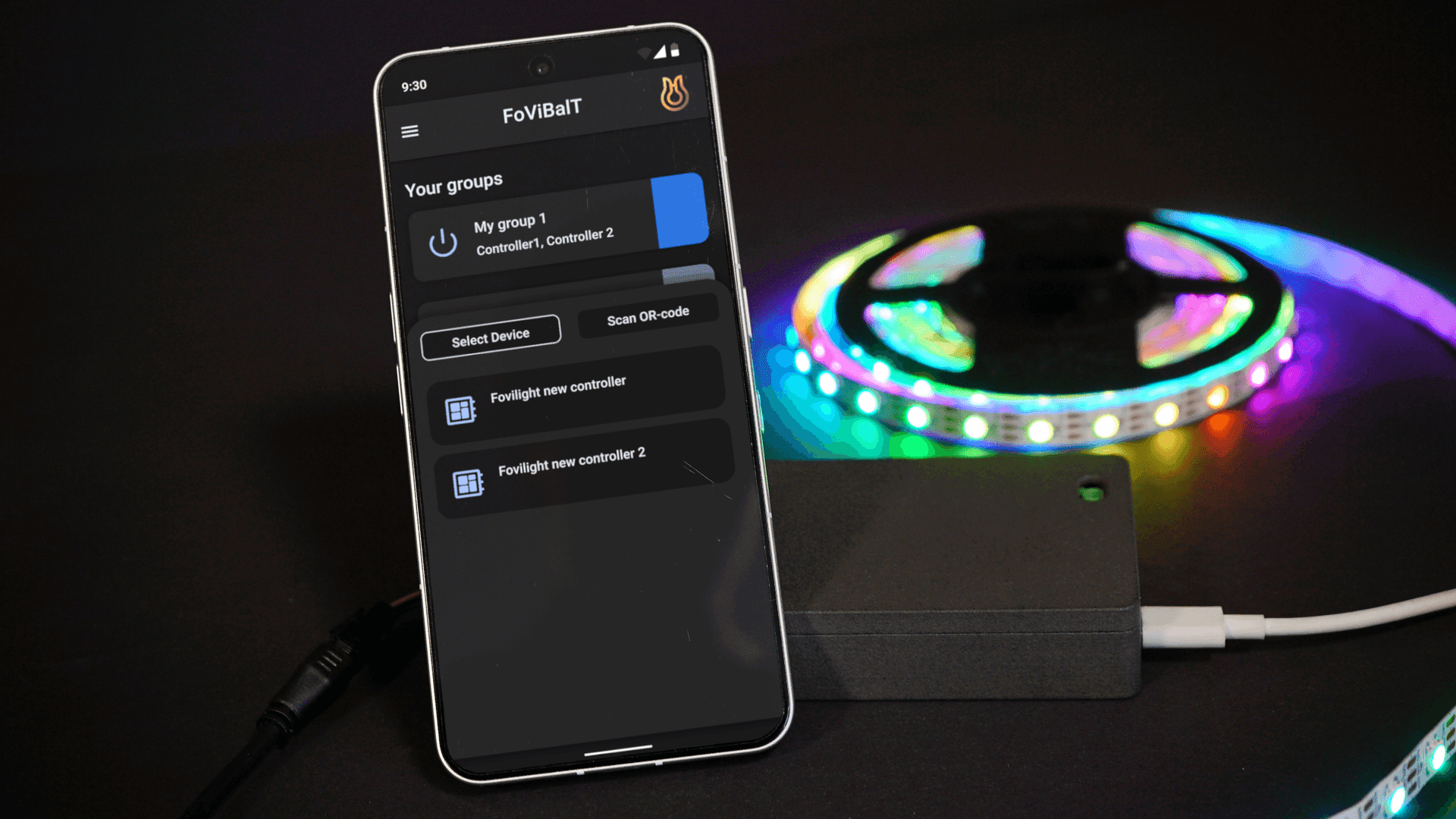
Select device and connect to Wi-Fi
Open the fovilight mobile app, choose your controller from the list of available BLE devices, and start setup instantly.
After selecting the controller, choose your Wi-Fi network in the app and complete the connection.
Enjoy
Enter your Wi-Fi name and password in the app. The controller joins your network and is ready to use.
From there you control the lights locally, or from anywhere in the world if you want to.
Versatile power input connection
Three ways to power
Whether you're using a power bank on the go, a standard barrel jack adapter at home, or a high-power screw terminal setup for professional installations – fovilight has you covered.
Addressable LED strip and RGBW led strip support
Connect both individually addressable LED strips (like WS2812, SK6812) where each LED can show a different color, and standard RGBW/RGB strips where all LEDs show the same color.